

QMentisAI, QualiZeal’s GenAI-driven quality engineering platform, enhances the way tests are conceived, structured, and validated. It accelerates test design by interpreting requirements, user stories, and business logic to generate draft test cases, data sets, and risk insights.
With its human-in-the-loop approach, QMentisAI blends AI intelligence with tester expertise i.e. the AI suggests, and humans refine. Its core strengths lie in test-case generation, user-story analysis, risk evaluation, and context-aware data creation, providing a solid foundation for both functional and non-functional test design while ensuring quality, coverage, and relevance.

Test-Design Workflow Using QMentisAI
- QMentisAI begins test design by loading or importing user stories into the test design capability workspace.
- Users select the required stories and initiate Generate FSD creating the Functional Specification Document.
- From the generated FSD, QMentisAI allows creation of used cases with a single step.
- These use cases are then converted into test conditions.
- QMentisAI then identifies test techniques based on those conditions.
- Finally, the platform generates complete test cases ready for consumption.
- All generated assets (FSD, Use Cases, Test Conditions, Test Techniques, Test Cases & RTM) can be downloaded from the tool in supported formats.
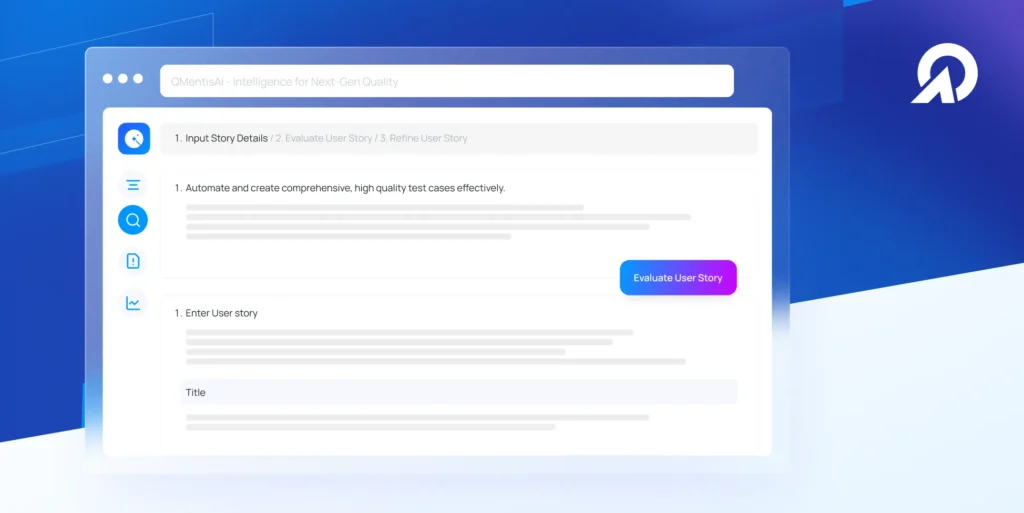
QMentisAI Test Design User Guide
| Step | Action | Details / Output |
| 1. Accessing Test Design | Log in to QMentisAI and click on the Test Design tile from the homepage. | Opens the Test Design workspace with options to upload, import, or manually enter user stories. |
| 2. Upload User Stories | Click Upload and select a file from your local device. | Loads user stories into QMentisAI. Supported formats: .docx, .pdf, .csv. |
| 3. Import from Jira/Azure | Click Import, select the desired application (Jira or Azure), choose the project, sprint, or epic. | Imports user stories directly from project management tools. |
| 4. Manual Entry | Enter user story details manually and click Analyse, then Proceed. | QMentisAI evaluates and refines the story for further processing. |
| 5. Generate FSD | Select user stories and click Generate FSD. | Creates the Functional Specification Document (FSD). |
| 6. Generate Use Cases | Select the generated FSD and click Generate Use Case. | Produces detailed Use Cases linked to the FSD. |
| 7. Generate Test Conditions | Select Use Cases and click Generate Test Condition. | Derives Test Conditions from Use Cases. |
| 8. Generate Test Techniques | Click Find Test Techniques. | Identifies suitable Test Techniques based on generated test conditions. |
| 9. Generate Test Cases | Click Generate Test Cases. | Creates structured Test Cases aligned with user stories. |
| 10. Export Artefacts | Download generated artefacts. | Test Cases: .XLS, .CSV formats RTM: .DOC, .PDF formats. |
| 11. Outcome | Review and validate all generated artefacts. | Ensures complete coverage and traceability from user story → FSD → Use Case → Test Condition → Test Technique → Test Case → RTM. |
Functional Test Design
QMentisAI intelligently generates functional test scenarios by interpreting user stories and system behaviour. It creates:
- Happy Paths & Boundaries: Valid, invalid, and edge cases aligned with real workflows.
- Role-Based & Data Variants: Contextual combinations across user roles, regions, and data sets.
- Integration Scenarios: Drafts API and interface-level test conditions for connected systems.
- Exploratory Suggestions: Highlights potential usability and experience areas for manual validation.
QMentisAI ensures test breadth and logical coverage, while testers fine-tune for precision and business context.
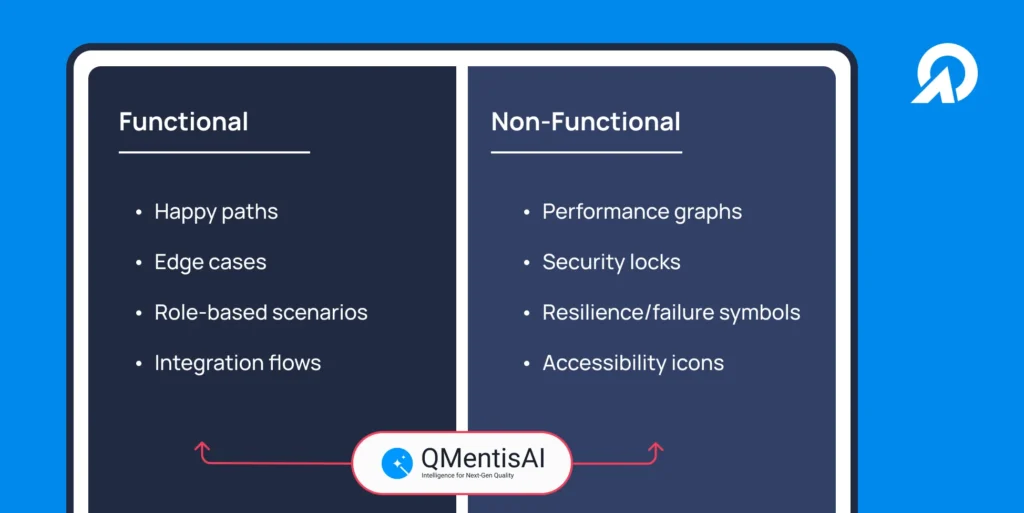
Non-Functional Test Design
QMentisAI extends beyond functionality to address quality attributes by:
- Performance Insights: Anticipating load and stress conditions from behavioural data.
- Resilience Scenarios: Proposing recovery and failure-handling situations.
- Security Checks: Identifying potential vulnerabilities in authentication and data flow.
- UX & Accessibility Hints: Surfacing usability gaps and accessibility improvement areas.
It speeds up non-functional planning by uncovering potential risks early, helping teams stay ahead of issues rather than chase them later.
Tips & Guardrails for Effective Test Design with QMentisAI
- Define Clear Inputs: Provide well-structured user stories and acceptance criteria as precise inputs lead to precise test generation.
- Validate AI Outputs: Review and refine QMentisAI’s suggestions to remove unrealistic or redundant scenarios.
- Focus on Business Impact: Prioritize tests that address critical risks and high-value user flows.
- Use Feedback Loops: Feed post-execution insights back into QMentisAI to continuously improve test quality.
- Include Non-Functional Early: Leverage QMentisAI to surface performance, security, and usability aspects from the start.
- Maintain Traceability: Map every test to its source requirement using QMentisAI’s structured linkage for better coverage visibility.
In short, QMentisAI performs best when guided by clarity, context, and consistent feedback.

The QMentisAI Advantage
Using QMentisAI transforms test design from starting with a blank sheet to working with intelligent, ready drafts refined by human judgment. It brings broader coverage, faster test creation, and sharper focus on what truly matters. QMentisAI enhances both functional and non-functional test design, acting as a smart co-pilot that amplifies tester insight and precision without disrupting the structure of disciplined QA.